Fender Guitar Tuner
- 4.6
- Rating
- 5.00M
- Installs
- Free
- Price

 Analysis by App-foxy
I reach for a tuner when I want to start playing immediately, not when I want to spend several minutes adjusting settings. Fender Guitar Tuner is built around that simple moment: open the app, play a string, watch the pitch response, and make a small adjustment. I reviewed it as a Music & Audio app for guitar, bass, and ukulele, and its straightforward approach makes the most sense for beginners, casual players, and anyone who wants a familiar tuning tool on a phone.
It is free, rated for Everyone, and developed by Fender Musical Instruments Corporation. That combination matters because it makes the app easy to try without turning tuning into another purchase decision. Its average rating is 4.6 from roughly 69,000 ratings, while more than 5 million installs show that it has become a common choice rather than an obscure utility. I would not treat popularity as proof that every musician will love it, but it does suggest that the basic experience works for a broad audience.
How quickly it gets you from silence to playing
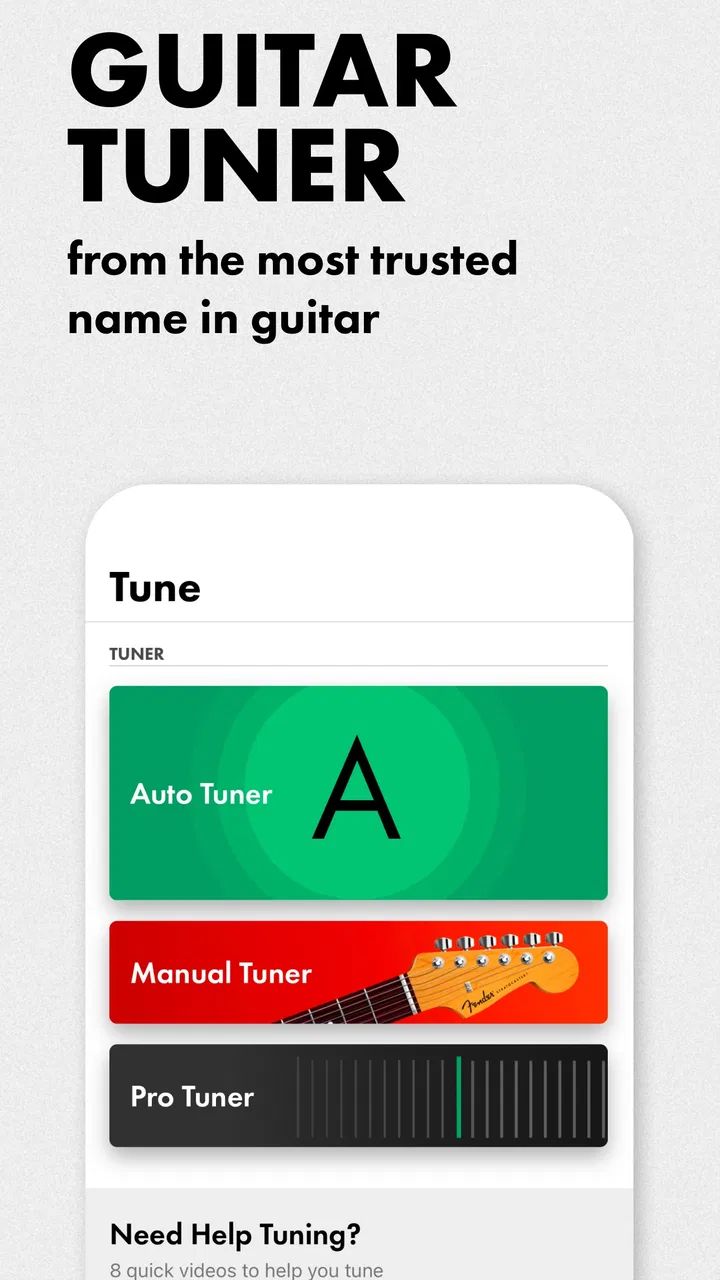
The first strength is the short path between opening the app and checking a note. A chromatic tuner is useful because it does not force you to think only in terms of one fixed tuning. You can play the string you actually want to adjust and use the pitch display as a guide. For a beginner, that is less intimidating than trying to remember which direction to turn a machine head before hearing whether the note is getting closer.
You May Also Like

 Blood Strike: 2.5 Anniversary
Blood Strike’s Loadouts Turn Every Drop Into a Tactical Gamble
A close look at Blood Strike’s custom loadouts: how fast access to signature weapons reshapes its battle royale rhythm, rewards preparation, and narrows the gap between fights.

 Pandora - Music & Podcasts
Pandora’s Music Is Easy to Start, but Harder to Recover
Pandora’s strength is its low-effort path from a seed to a station. Its weak spot is how much confidence it asks you to place in connection, setup, and quiet recovery.

 8 Ball Pool
 Is Built on Rivalries, Rematches, and Routine
A close look at the rivalries, rematches, shared routines, and unanswered safety questions that turn a quick pool match into a persistent mobile community.

 Samsung Music
’s Quiet Strength Is Playing What You Already Own
Its reach comes less from spectacle than from dependable access to a personal library. That simplicity is both the app’s strongest retention engine and its ceiling.

 AccuWeather: Weather Radar
AccuWeather Review: A Quick, Clear Forecast for Everyday Decisions
For everyday plans, the best forecast is the one you can understand quickly. AccuWeather makes rain timing, radar, and local conditions easy to act on, with a few trade-offs.

 Hill Climb Racing
Why Hill Climb Racing Still Turns Crashes Into One More Run
A tiny car, a bumpy hill and one more upgrade: Hill Climb Racing keeps resurfacing because its simple chaos makes every near-miss feel personal.
More From Our News Desk



In everyday use, I would open it before a practice session, place the phone near the instrument, and tune one string at a time. The process feels most efficient when the room is reasonably quiet and the instrument produces a clear note. That is not a special requirement of this app; phone tuners depend on the microphone hearing the instrument rather than surrounding conversation, television, or other musicians.
The app also includes a metronome, which gives it a useful second role. I like that pairing because tuning and timing usually happen in the same preparation routine. Instead of switching to a separate metronome app after tuning, I can stay in one place and set up a basic practice pulse. That will not replace a dedicated timing tool for every musician, but it keeps a short warm-up from becoming a collection of disconnected utilities.
The practical advantage is reduced setup friction, not magic speed. If the phone is already positioned close enough to hear the instrument, the tuner can be ready before I have settled into a playing position. If the microphone is blocked, the room is noisy, or the note is played too softly, no tuner can make the process feel instant. I found that the quality of the input matters more than repeatedly tapping the screen.
What changes during a busy practice session
The app is especially handy during moments when tuning interrupts another task. Suppose I am practicing a song and notice that the low string sounds wrong. I can pause, check the note, correct it, and return to the exercise without reaching for a separate physical tuner. The same workflow works before recording a quick idea, joining an informal jam, or handing an instrument to a learner who needs a visible reference.
For guitarists, the chromatic approach is useful when experimenting with alternate tunings. I would still write down the target notes before changing several strings, because the app can show pitch but cannot replace a clear plan for the tuning I want. This is one of the less obvious benefits of a chromatic tuner: it supports exploration, but the player remains responsible for knowing the destination.
Bass players should think about phone placement more carefully. Lower notes can feel less immediate through a small microphone, particularly if the instrument is played quietly or the phone is sitting far away. I would put the device near the instrument, play a clean open note, and wait for the reading to settle before turning the peg. Rapidly plucking again and again can make the display harder to interpret because the sound is still changing.
Ukulele players get a similarly simple workflow, although the instrument’s compact sound can be affected by how close the phone is and by other people talking nearby. In a group setting, I would tune before everyone starts rather than expecting the app to isolate one instrument in a loud room. That is where a clip-on tuner or a physical pedal tuner can be the better choice.
Stability matters more than a flashy interface
For a utility like this, reliability means more than whether the screen looks polished. I want the tuner to open without turning preparation into a project, react consistently to repeated notes, and let me recover quickly after an interrupted session. Fender Guitar Tuner has the advantage of a focused purpose: it is not trying to be a full lesson platform, a recording studio, and a social network at the same time.
The current version is 4.15.7, and the app has been available since January 25, 2017. Those details give the product a long-running presence, but they do not guarantee identical behavior on every phone. Microphone quality, operating-system behavior, background audio, and the physical case around a device can all affect the experience. I would judge the app as a convenient phone tuner, not as a replacement for dedicated hardware in demanding conditions.
Recovery is simple when a reading looks wrong: stop the note, move the phone closer, reduce background noise, and play a fresh note with a clear attack. I would not keep turning the tuning peg while watching a confused reading. That habit can lead to overshooting the target, especially for a beginner who is still learning how small adjustments affect pitch.
Another useful recovery habit is to tune toward the note carefully rather than making large corrections. When a string is far out, I prefer loosening it below the target and then tightening gradually. This gives me a more controlled final adjustment and helps avoid the frustrating cycle of passing the note repeatedly. The app does not perform that musical decision for me, but its visual feedback makes the process easier to follow.
Where phone hardware becomes the limiting factor
The app requires a device running at least iOS 11, so it is aimed at relatively modern Apple hardware rather than very old phones. That requirement is worth checking before installation, especially if the device is kept as a dedicated music tool. On compatible hardware, the more important question is not raw processing power but whether the microphone and speaker arrangement suit the way I plan to use it.
I would avoid placing the phone directly on a resonating instrument, where vibration or accidental movement could interfere with a comfortable session. A stable surface beside the player is usually more practical. Screen brightness, battery condition, and notification interruptions also matter during longer practice, although those are general phone concerns rather than special weaknesses of the tuner.
Resource demands are best understood in context. This is a focused tuner and metronome rather than a large media app, so I would expect it to be easier on a device than a video editor or a streaming service. Still, I would not promise a particular battery impact without testing every phone and session length. If I am heading to a rehearsal with a nearly empty battery, I would bring a separate tuner instead of relying on any phone app.
The same trade-off applies to visibility. A phone screen is convenient at home, but sunlight can make small pitch indicators harder to read outdoors. In a bright rehearsal room, I would position the device where I can see it without picking it up after every note. A clip-on tuner wins here because it stays attached to the instrument and remains available while both hands stay in playing position.
How it compares with common alternatives
The usual alternative is a standalone chromatic tuner. Hardware wins when the environment is loud, the phone battery is low, or the musician needs a tool that remains separate from notifications and calls. It can also be more comfortable on a dark stage or in a rehearsal where several instruments are sounding. Fender Guitar Tuner wins on convenience: I already carry the phone, it costs nothing to try, and the same app includes a metronome.
A clip-on tuner is often the stronger option for acoustic guitar or ukulele in a group. It reads vibration through the instrument and does not depend as heavily on the air around the phone being quiet. For a solo player practicing in a bedroom, however, the app is usually less equipment to buy and less equipment to remember.
Many musicians also use a general metronome app with a separate tuner. That setup may offer more specialized rhythm controls, but it creates two apps and two interfaces for a task that Fender combines neatly. I would choose the Fender option when I want a quick preparation tool. I would choose a more specialized alternative when my practice depends on advanced timing exercises, stage control, or a tuner designed around a particular instrument signal.
Who will get the most from it
Beginners are a natural fit because the app lowers the barrier to learning what “in tune” feels like. A parent helping a child start guitar can keep a free tuner on the phone and make tuning part of the lesson instead of treating it as an advanced technical chore. The Everyone content rating also makes it suitable for a broad audience, though younger players will still benefit from adult guidance when adjusting strings.
It also suits casual guitarists who play intermittently and do not want to buy a dedicated accessory. If I pick up an instrument after several days away, having a tuner already available is more valuable than owning a sophisticated device that is stored somewhere else. The metronome adds enough usefulness to support a basic practice routine after tuning.
I would be more cautious about recommending it as the only tuner for touring musicians, loud bands, stage performers, or players who regularly work with unusual signal conditions. Those users may reasonably prefer dedicated hardware for visibility, isolation, durability, and predictable operation. The app is not a poor choice in those situations, but convenience is no longer the main priority.
My performance verdict after regular use
Fender Guitar Tuner succeeds because it understands the ordinary problem: I need to tune an instrument now, with the device already in my pocket. Its chromatic tuner supports guitar, bass, and ukulele, while the built-in metronome makes it useful beyond the first minute of a practice session. I especially value the alternate-tuning flexibility and the ability to move directly from tuning into timed exercises without changing apps.
Its limitations are equally clear. A phone microphone is not the best answer for every noisy room, low bass note, outdoor session, or stage situation. The app’s speed depends on clean sound and sensible phone placement, and its convenience can disappear if the battery is nearly empty or the screen is difficult to see. Those are important trade-offs, not reasons to dismiss it.
With over 9,000 written reviews and more than 5 million installs, it has earned a substantial audience, but I would still make the decision based on my playing environment rather than its popularity. For home practice, lessons, songwriting, and occasional rehearsals, I would recommend it without hesitation. For demanding live work, I would keep a hardware tuner nearby.
My recommendation is simple: use it as an accessible everyday tuner and metronome, while treating dedicated hardware as the safer specialist tool. Because it is free, there is little risk in trying it on a compatible device. If it responds well to your instrument and your usual room, it can become one of those small utilities that removes just enough friction to help you play more often. That is the real reason I would recommend Fender Guitar Tuner to a friend: not because it replaces every alternative, but because it makes the first step of a practice session pleasantly uncomplicated.
FAQs for Fender Guitar Tuner
01Is Fender Guitar Tuner free to use?
Yes, Fender Guitar Tuner is free to download and use. It offers a range of tuning options for various stringed instruments without any cost. However, it may offer in-app purchases for advanced features or additional tuning modes, which can enhance your experience if you opt for them.
02What instruments can I tune with Fender Guitar Tuner?
Fender Guitar Tuner is designed primarily for guitars but supports a variety of stringed instruments. You can use it to tune electric, acoustic, bass guitars, and even other string instruments like ukuleles. The app provides several preset tuning modes for each instrument type.
03Does Fender Guitar Tuner require an internet connection?
No, Fender Guitar Tuner does not require an internet connection for its basic tuning functionalities. You can tune your instrument anytime and anywhere. However, if you wish to access additional online features or updates, an internet connection may be necessary.
04How accurate is Fender Guitar Tuner?
Fender Guitar Tuner is known for its precision and accuracy. It uses advanced algorithms to ensure your instrument is perfectly in tune. Many users have praised its reliability, making it a trusted tool for both beginners and professional musicians.
05Can beginners use Fender Guitar Tuner easily?
Absolutely! Fender Guitar Tuner is designed to be user-friendly, making it suitable for beginners. The interface is intuitive, with clear instructions and visual guides. Even if you're new to tuning, the app makes the process straightforward and easy to follow.
Pros
- Accurate tuning for various instruments.
- User-friendly interface for easy navigation.
- Wide range of tuning options available.
- Includes a metronome for practice sessions.
- Supports alternative tunings and capo use.
Cons
- Limited features in free version.
- Requires internet for certain functionalities.
- Ads can be intrusive at times.
- No option for custom tunings.
- Battery drain is noticeable during use.

Fender Guitar Tuner
Gallery